
Bmani T16 Earbuds: A Comprehensive User Manual Guide
Welcome! This guide provides detailed instructions for the Bmani T16 wireless earbuds, covering pairing, operation, troubleshooting, and safety information․
Congratulations on choosing the Bmani T16 True Wireless Sports Earbuds! These earbuds are engineered to deliver a superior audio experience with convenient Bluetooth connectivity and a comfortable, secure fit․ This user manual serves as a comprehensive guide to help you quickly set up, operate, and maintain your new earbuds․
The Bmani T16 boasts impressive features, including extended battery life, a stable Bluetooth connection, and intuitive touch controls․ Whether you’re an avid athlete, a music enthusiast, or simply seeking a hands-free calling solution, these earbuds are designed to meet your needs․ Explore this manual to unlock the full potential of your Bmani T16!
What’s in the Box?
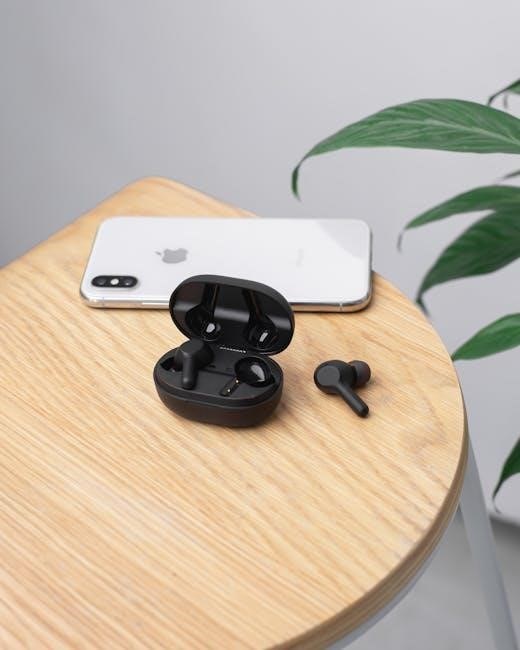
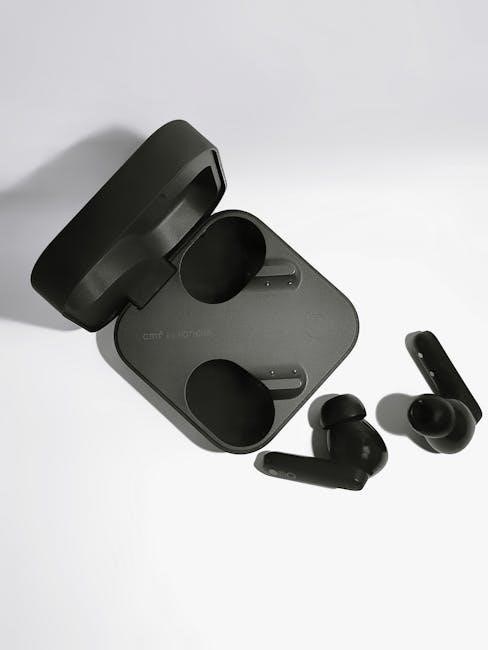
Upon opening your Bmani T16 package, please verify that the following items are included․ This ensures you have all the necessary components for an optimal experience․ You should find: one pair of Bmani T16 Wireless Bluetooth Earbuds, a charging case that also serves as a portable power bank, a USB-C charging cable for recharging the case, and three sets of interchangeable ear tips (small, medium, and large) to customize your fit for maximum comfort and noise isolation․
Additionally, a quick start guide and this comprehensive user manual are included to assist you with setup and operation․ If any items are missing or damaged, please contact our customer support team immediately for assistance․ Retain the original packaging for potential returns or warranty claims․
Product Overview & Key Features
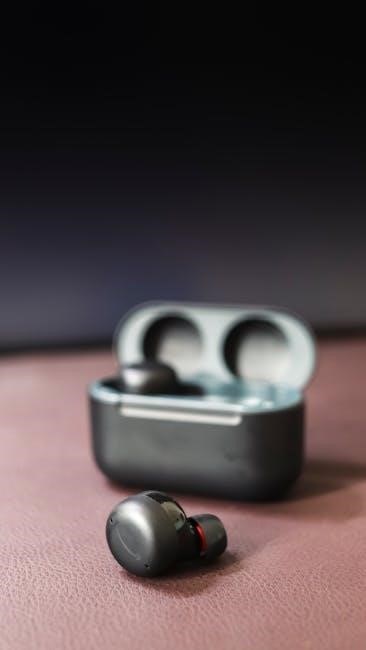
The Bmani T16 Wireless Bluetooth Earbuds are designed for an immersive audio experience with a focus on portability and convenience․ These true wireless earbuds boast a sleek, ergonomic design for a secure and comfortable fit during various activities, including sports and workouts․ Key features include Bluetooth connectivity supporting HSP/HFP/A2DP/AVRCP profiles, ensuring seamless pairing with your devices․
Enjoy extended listening sessions with up to 48 hours of playback time with the charging case․ The earbuds themselves offer a power display, indicating remaining battery life․ They also feature intuitive controls for managing music and calls․ Experience high-quality sound and reliable performance with the Bmani T16!
Getting Started with Your Bmani T16
Begin by charging your Bmani T16 earbuds using the provided Type-C cable and charging case for optimal performance and enjoyment!
Charging the Earbuds
Initial Charge: Before first use, fully charge both Bmani T16 earbuds and the charging case․ Connect the provided USB-C cable to the charging case and a power source․ The earbuds will begin charging automatically when placed inside the case․
Charging Indicators: A red light indicates the earbuds are charging․ The red light will turn off when fully charged․ The charging case features a power display, showing the remaining battery level․ Ensure a stable connection during charging for optimal efficiency․
Charging Time: Full charging typically takes approximately 1․5 to 2 hours․ Avoid using the earbuds while they are charging․ Disconnect the charging cable once fully charged to prolong battery lifespan․ Proper charging habits contribute to the longevity of your Bmani T16․
Charging Case Operation
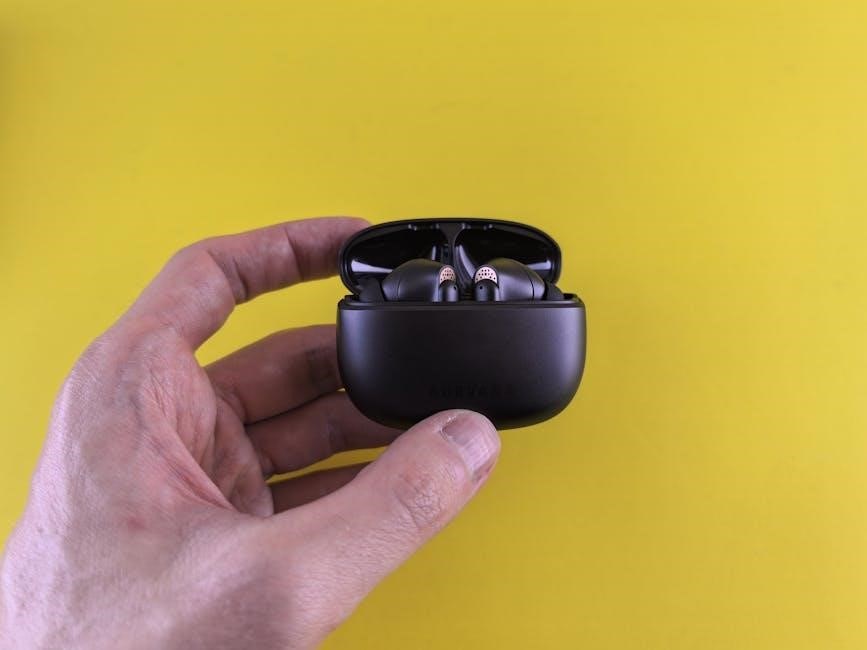
The Bmani T16 charging case serves as a portable power bank for your earbuds, offering multiple charges on the go․ Utilize the USB-C port on the case to recharge it․ A power display indicates the remaining battery capacity of the case, allowing you to plan accordingly․
Multiple Charges: A fully charged case can recharge the earbuds several times, extending your listening time․ The case automatically detects when earbuds are placed inside and initiates charging․ Ensure the earbuds are properly seated within the case for a secure connection․
Protection: The charging case also protects the earbuds from dust and physical damage during storage and transport․ Regularly check the case’s battery level to ensure it’s ready when you need it․
Powering On/Off the Earbuds
Powering On: To activate your Bmani T16 earbuds, simply remove them from the charging case․ They will automatically power on and enter pairing mode if not previously connected to a device․ A visual indicator, typically a light, confirms the power-on status․
Powering Off: To manually power off the earbuds, place them back into the charging case․ They will automatically shut down and begin charging․ Alternatively, some models may support a touch control for manual power off – consult the specific controls section for details․
Automatic Shutoff: The earbuds also feature an automatic shutoff function to conserve battery life when not in use․ They will power off after a period of inactivity․
Pairing and Connecting
Seamless connectivity is key! This section details how to initially pair your Bmani T16 earbuds with devices and manage multiple connections effortlessly․
Initial Bluetooth Pairing
Establishing a connection with your Bmani T16 earbuds is a straightforward process․ First, ensure the earbuds are fully charged and within close proximity to your Bluetooth-enabled device․ Remove the earbuds from the charging case; they will automatically enter pairing mode, often indicated by a flashing LED light․
Next, navigate to the Bluetooth settings on your smartphone, tablet, or computer․ Scan for available devices, and you should see “Bmani T16” appear in the list․ Select “Bmani T16” to initiate the pairing process․ You may be prompted to enter a pairing code; if so, enter “0000” or confirm the connection․
Once successfully paired, the LED indicator on the earbuds will typically change to a solid color, confirming the connection․ Your Bmani T16 earbuds are now ready for use!
Connecting to Multiple Devices
The Bmani T16 earbuds can store pairing information for multiple devices, allowing for seamless switching between your smartphone, tablet, or computer․ After initially pairing with one device, to connect to a second, simply put the earbuds into pairing mode – usually by briefly pressing a button on either earbud while powered off, then powering them on․
Then, follow the standard Bluetooth pairing procedure on the new device, selecting “Bmani T16” when it appears in the list․ Once paired with the second device, the earbuds will remember both․
To switch between devices, disable Bluetooth on the currently connected device and enable it on the other․ The Bmani T16 earbuds should automatically reconnect to the device with the active Bluetooth signal․
Automatic Reconnection
One of the convenient features of the Bmani T16 earbuds is their automatic reconnection capability․ Once paired with a device, the earbuds will attempt to automatically reconnect whenever both the earbuds are powered on and the paired device has Bluetooth enabled․ This eliminates the need to manually re-pair each time you want to use them․
If the automatic reconnection fails, ensure the earbuds are within range of the paired device and that no other devices are actively attempting to connect․ Briefly powering the earbuds off and then on again can also initiate the reconnection process․
For optimal performance, keep Bluetooth enabled on your frequently used devices․
Understanding the Controls
Bmani T16 earbuds feature intuitive touch controls for managing music, calls, and voice assistants with simple taps and holds․
Single Earbud Controls
Bmani T16 earbuds offer convenient single-earbud control functionality․ A single press on either earbud pauses/plays music or answers/ends calls․ Double-pressing an earbud will skip to the next track, while triple-pressing returns to the previous track․ Volume adjustment is achieved through specific tap sequences – consult the full manual for details․
These controls allow for effortless management of your audio experience without needing to reach for your connected device․ Mastering these simple gestures will enhance your usability and enjoyment of the Bmani T16 earbuds․ Remember that control responsiveness may vary slightly depending on the surface of your finger and the earbud itself․
Multi-Function Button Operations
The Bmani T16 earbuds utilize multi-function buttons for a range of operations․ Holding the button on either earbud for approximately two seconds activates voice assistant compatibility – Siri, Google Assistant, or others, depending on your device․ A longer press initiates pairing mode when the earbuds are off․
These buttons are crucial for managing calls; a short press answers or ends a call, while a press during an active call rejects an incoming one․ Understanding these multi-function capabilities unlocks the full potential of your Bmani T16 earbuds, providing seamless control over your audio and communication experiences․ Refer to the complete manual for detailed timing and specific device compatibility․
Volume Control
Adjusting the volume on your Bmani T16 earbuds is intuitive and straightforward․ A single press on the multi-function button of the right earbud increases the volume, while a single press on the left earbud decreases it․ These adjustments are incremental, allowing for precise control over your listening experience․
Be mindful that volume control is dependent on the connected device’s maximum volume․ Ensure your source device isn’t already at its highest setting․ Repeated presses will continue to adjust the volume until the maximum or minimum is reached․ Mastering this simple control scheme enhances usability and enjoyment of your Bmani T16 earbuds․
Sound and Call Quality
Experience clear audio and calls with the Bmani T16! This section details optimizing sound profiles, making/receiving calls, and microphone best practices․
Audio Profile and Sound Settings
The Bmani T16 earbuds are engineered to deliver a balanced and immersive audio experience․ However, sound perception is subjective, and adjustments may enhance your listening pleasure․ While the earbuds don’t feature a dedicated app for extensive equalization, you can leverage the audio settings on your paired device – smartphone, tablet, or computer – to fine-tune the sound profile․
Explore options like adjusting the bass, treble, and overall equalization settings within your device’s audio controls․ Experiment with different presets or create a custom profile tailored to your preferred music genres․ For instance, boosting bass can enhance the impact of electronic or hip-hop tracks, while increasing treble can clarify vocals in acoustic music․ Remember that optimal settings depend on both your personal preference and the quality of the audio source․
Making and Receiving Calls
The Bmani T16 earbuds facilitate hands-free calling via Bluetooth connection to your smartphone․ To initiate a call, simply use your phone’s dialer as usual; audio will be routed through the earbuds․ Incoming calls will automatically pause any currently playing audio, and you’ll receive a notification through the earbuds’ sound․
Answer calls with a single press of the multi-function button on either earbud․ To reject an incoming call, press and hold the button for a few seconds․ During a call, utilize the volume controls to adjust the call volume․ The built-in microphone ensures clear voice transmission․ Ensure the microphone isn’t obstructed for optimal call quality․
Microphone Usage
The Bmani T16 earbuds feature a built-in microphone for clear voice capture during calls and voice assistant interactions․ The microphone is strategically positioned to minimize background noise and prioritize your voice․ For optimal performance, ensure the microphone port isn’t covered by your hand or clothing during use․
When making calls or using voice commands, speak directly towards the earbud containing the microphone․ While the earbuds offer noise reduction, excessively loud environments may still impact clarity․ Experiment with positioning the earbuds slightly to find the best microphone pickup․ Proper microphone usage ensures effective communication and accurate voice recognition․
Troubleshooting Common Issues
Facing problems? This section offers solutions for pairing difficulties, sound issues, and charging concerns with your Bmani T16 wireless earbuds․
Earbuds Not Pairing
Experiencing pairing issues with your Bmani T16 earbuds? First, ensure Bluetooth is enabled on your device․ Verify the earbuds are in pairing mode – typically indicated by a flashing light․ If unsuccessful, try resetting the earbuds by placing them back into the charging case and closing the lid for 10 seconds․
Then, remove the Bmani T16 from your device’s Bluetooth list and re-attempt the pairing process․ Confirm no other devices are actively connected to the earbuds․ Interference from other wireless signals can sometimes hinder pairing; move to a different location․ If problems persist, consult the full user manual available online for detailed troubleshooting steps and potential firmware updates․
No Sound Output
Encountering silence with your Bmani T16 earbuds? Initially, confirm the volume is adequately raised on both your connected device and the earbuds themselves․ Ensure the correct audio output device is selected within your device’s settings – choose the Bmani T16․
Check if the earbuds are securely and correctly positioned in your ears․ A loose fit can significantly reduce sound quality․ Try disconnecting and reconnecting the earbuds via Bluetooth․ If the issue continues, attempt pairing with a different device to isolate the problem․ Refer to the comprehensive user manual for advanced troubleshooting, including potential factory reset instructions, and explore online resources for further assistance․
Charging Problems
Experiencing difficulties charging your Bmani T16 earbuds? First, verify the charging cable is securely connected to both the charging case and a functional power source․ Inspect the charging port for any debris or obstructions․ Ensure the earbuds are correctly placed within the charging case, making firm contact with the charging pins․
If charging still fails, try a different USB cable and power adapter․ A slow charge might indicate a low-power source․ Consult the user manual for specific charging indicators and expected charging times․ If one earbud isn’t charging, test with a different earbud to identify if the issue is with the earbud or the case․

Safety and Maintenance
Protect your investment! Regularly clean your Bmani T16 earbuds and store them safely, avoiding extreme temperatures and moisture for longevity․
Cleaning and Care Instructions
Maintaining optimal performance and hygiene for your Bmani T16 earbuds is crucial․ Regularly clean the earbuds with a soft, dry cloth to remove any earwax or debris․ For stubborn dirt, lightly dampen the cloth with water or a mild, non-abrasive cleaning solution․
Avoid using excessive liquid, as it could damage the internal components․ Pay particular attention to cleaning the ear tips, as these come into direct contact with your ears; Remove the ear tips and wash them separately with mild soap and water, ensuring they are completely dry before reattaching․
Do not use sharp objects or harsh chemicals to clean the earbuds or charging case․ Store the earbuds in their charging case when not in use to protect them from dust and damage․ Proper care will extend the lifespan and ensure a consistently enjoyable listening experience․
Precautions for Safe Usage
To ensure safe and enjoyable use of your Bmani T16 earbuds, please adhere to the following precautions․ Avoid using the earbuds at excessively high volumes for prolonged periods, as this could lead to hearing damage․ Be mindful of your surroundings when using the earbuds, especially while walking, running, or driving․
Do not use the earbuds in hazardous environments where awareness of your surroundings is critical․ Keep the earbuds and charging case away from extreme temperatures, humidity, and direct sunlight․ Never disassemble or attempt to repair the earbuds yourself, as this will void the warranty and could pose a safety risk․
If you experience any discomfort or irritation while using the earbuds, discontinue use immediately․ These earbuds are not intended for use by children․ Store them securely, out of reach of young children to prevent accidental ingestion or damage․
Warranty Information
Bmani offers a standard one-year warranty covering defects in materials and workmanship from the date of original purchase of the T16 earbuds․ This warranty does not cover damage resulting from misuse, accidents, unauthorized modifications, or normal wear and tear․ To claim warranty service, please contact Bmani customer support with proof of purchase and a detailed description of the issue․
Bmani will, at its discretion, repair or replace the defective earbuds or components․ Shipping costs for warranty claims are the responsibility of the customer․ This warranty is non-transferable and applies only to the original purchaser․ Any attempt to disassemble or repair the earbuds by unauthorized personnel will void the warranty․
For complete warranty details and customer support contact information, please visit the Bmani website or refer to the documentation included with your product․
Technical Specifications
The Bmani T16 utilizes Bluetooth version 5․0, offering up to 48 hours of total playtime with the charging case, and boasts IPX waterproof protection․
Bluetooth Version
The Bmani T16 earbuds are equipped with Bluetooth 5․0 technology, ensuring a stable and efficient wireless connection to your devices․ This advanced Bluetooth version offers improved pairing speed, extended wireless range, and lower energy consumption compared to older versions․
Bluetooth 5․0 supports various profiles like HSP, HFP, A2DP, and AVRCP, enabling high-quality audio streaming and hands-free calling capabilities․ Compatibility extends to a wide range of Bluetooth-enabled smartphones, tablets, and laptops․ The stable connection minimizes audio dropouts and interruptions, providing a seamless listening experience․ Furthermore, Bluetooth 5․0 contributes to the extended battery life of both the earbuds and the connected device, allowing for longer periods of uninterrupted use․
Battery Life
The Bmani T16 earbuds offer an impressive battery performance designed for extended listening sessions․ A single charge provides up to 6-8 hours of playtime, depending on volume levels and audio content․ The included charging case extends the total playtime to approximately 48 hours, offering multiple additional charges on the go․
The charging case itself takes around 2-3 hours to fully recharge via a USB-C connection․ A quick 10-minute charge can provide up to an hour of playback․ Battery level indicators on the case display the remaining power, ensuring you’re never caught off guard․ Efficient power management optimizes battery usage, maximizing the listening experience between charges․
Water Resistance Rating
The Bmani T16 earbuds are designed with an IPX5 water resistance rating, providing protection against sweat, splashes, and light rain․ This makes them ideal for workouts, outdoor activities, and everyday use, offering peace of mind during vigorous exercise or unpredictable weather conditions․
However, it’s important to note that IPX5 resistance doesn’t cover full submersion in water․ Avoid exposing the earbuds to direct, prolonged exposure to liquids․ The charging case is not water-resistant, so keep it dry․ Cleaning the earbuds after workouts or exposure to moisture will help maintain optimal performance and longevity․